
- ✓Overlap weeks — multiple simultaneous events needing same-day delivery — expose every weak point in a manual photo workflow
- ✓A shoot-cull-compress-deliver pipeline under 90 minutes is achievable without cutting quality corners
- ✓Client galleries beat individual file sends the moment you have more than one recipient per shoot
- ✓Batch operations, not per-image editing, are what actually make same-day delivery realistic
This week has World Cup quarterfinals starting Thursday, Wimbledon in its second week with quarterfinals of its own, and Emmy nomination reaction coverage all running at the same time — three separate demand spikes for photographers who cover live events. If you shoot any of this, or anything like it, this is the exact week that exposes whether your delivery workflow actually holds up under real pressure or just works fine when you only have one client at a time.
Why Overlap Weeks Are the Real Stress Test
A single event with a generous deadline hides a lot of workflow sins. You can cull manually, edit one image at a time, and export individually, and it still gets done because you had all night. Overlap weeks remove that slack. When you're shooting a match Thursday afternoon and a client wants a gallery live before dinner, and you've got another shoot the next morning, every manual step in your pipeline turns into a bottleneck that compounds across all three jobs instead of just one.
The photographers who handle this well aren't shooting faster — they're not doing anything by hand that a batch tool can do for them.
The Four-Step Pipeline That Actually Scales
1. Cull ruthlessly, in one pass, before you touch editing. Go through the shoot once, keeping only frames you'd genuinely deliver — not "might use," genuinely deliver. A 400-shot event usually culls to 150-250 without losing anything a client would miss. Skipping this step is the single biggest reason deliveries run late; editing photos you're going to discard anyway wastes the time you don't have.
2. Batch-edit, don't individually edit. Apply consistent exposure, color, and crop adjustments across the whole culled set rather than tweaking each image separately. Event photography, unlike a portrait session, rewards consistency over per-shot perfection — a gallery where every photo has the same tonal treatment reads as more professional than one with 200 individually-tweaked images anyway.
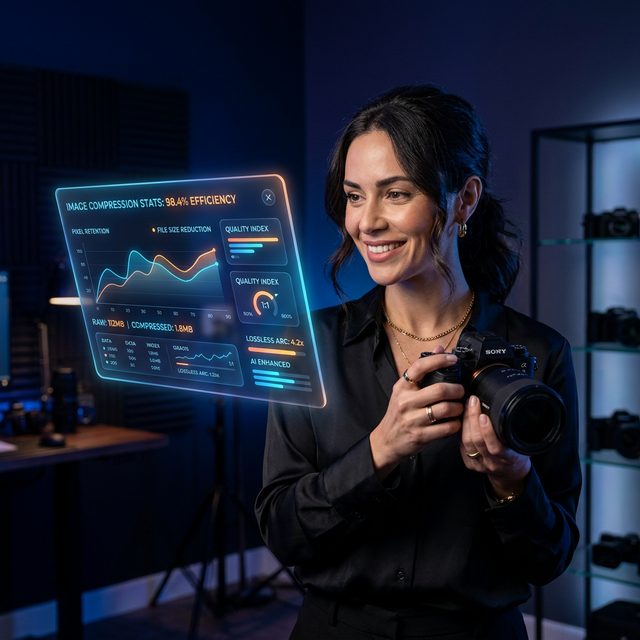
3. Compress the whole set in one batch, not file by file. Raw exports from modern sensors run 20-45MB per image. A 250-image gallery at that size is 5-11GB — completely unusable for a client trying to browse on a phone over cellular data. Running the whole folder through Optimage's bulk compressor in one pass gets you to a fraction of that size with no visible quality loss, and it takes minutes, not the hours per-image export would.
4. Deliver one link, not a folder of individual files. Emailing 250 attachments isn't just slow to send — it's a bad experience for whoever's receiving it, especially on mobile. A client gallery gives them one link that works on any device, loads fast because the images are already compressed, and doesn't require them to download anything to browse.
What Slows Every Photographer Down at the Worst Time
| Bottleneck | Why it happens | Fix |
|---|---|---|
| Editing every photo individually | Feels more careful, isn't actually necessary for event work | Batch-apply one consistent edit across the culled set |
| Exporting and compressing one file at a time | Default workflow from single-photo editing tools | Bulk process the whole folder in one operation |
| Sending files as email attachments | Habit from small, low-volume jobs | Switch to a gallery link once you're past a handful of images |
| No pre-set delivery format | Deciding output settings mid-job costs real time | Standardize your export settings once, reuse every time |
Frequently Asked Questions
Q: Is batch editing going to make my galleries look generic? A: Not if you're editing event coverage rather than portraits. Consistent color and exposure across a set of match, red-carpet, or crowd photos reads as intentional and professional — clients notice a mismatched, individually-tweaked gallery far more than they notice consistency.
Q: How much smaller does a gallery get after bulk compression? A: Typically 60-80% smaller with no visible quality difference at normal viewing sizes, which is the difference between a gallery that loads instantly on a client's phone and one that stalls out on a weak connection.
The Takeaway
- Weeks with multiple overlapping live events are the real test of a delivery workflow, not a slow single-client week
- Cull once, edit in batches, compress the whole set at once, and deliver a single gallery link instead of individual files
- The target isn't shooting faster — it's removing every manual, one-at-a-time step between the shutter and the client's screen
Last updated: July 2026 · Batch compress and deliver your next gallery free →
Frequently asked questions
How fast can a photographer realistically deliver a same-day gallery?
For a shoot of 200-400 images, a culled and compressed gallery can go out in under 90 minutes from the final shutter click if the workflow is batch-based rather than per-image. The bottleneck is almost always manual editing and one-at-a-time file handling, not the shoot itself.
Do I need to compress every photo before sending a gallery to a client?
Yes, in bulk, in one pass. Uncompressed camera files from modern sensors run 20-45MB each; a 300-image gallery at that size is 6-13GB, which is unusable for a client trying to browse on a phone. Bulk compression that preserves visual quality gets that same gallery down to a fraction of the size without a visible difference.
Continue reading
Try Optimage — it's free
Compress, convert, and optimize images in seconds. No sign-up, no limits.
Start Optimizing Free